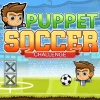
Puppet Soccer Challenge
Move your puppet using the arrow keys. Press the spacebar to kick the ball. Use the up arrow to jump and head the ball. Control your puppet's direction with the left and right arrows. Press the down arrow to block or defend. Utilize the P key to pause the game. Press M to mute or unmute the sound.
What is Puppet Soccer Challenge?
Puppet Soccer Challenge is a cool HTML5 game that offers an exciting soccer experience. Playable on both desktop and mobile devices, this game allows you to enjoy free online fun anytime, anywhere!
Gameplay & Features
In Puppet Soccer Challenge, you control a puppet soccer player with intuitive controls designed for both keyboard and mobile. Experience the thrill of scoring goals and outsmarting your opponents.
- Move your puppet using the arrow keys.
- Press the spacebar to kick the ball.
- Use the up arrow to jump and head the ball.
- Control your puppet's direction with the left and right arrows.
- Press the down arrow to block or defend.
- Utilize the P key to pause the game.
- Press M to mute or unmute the sound.
Related & Series Games
If you enjoy Puppet Soccer Challenge, you might also like other exciting games such as Halloween Head Soccer, Soccer Heads, Super Soccer Noggins, Soccer Skills Euro Cup, 1 on 1 Soccer, and Billiard Blitz Challenge. Each game offers unique challenges and fun gameplay that will keep you entertained for hours.
Tips & Strategies
To master Puppet Soccer Challenge, practice your timing for kicking and jumping. Blocking your opponent's shots is crucial, so make sure to use the down arrow effectively. Regularly pause the game to strategize your next move and keep improving your skills!
FAQ
Is Puppet Soccer Challenge free to play?
Yes, Puppet Soccer Challenge is completely free to play online!
Do I need to download anything to play?
No, this is a free HTML5 game that requires no downloads. You can play it directly in your browser.
Can I play Puppet Soccer Challenge at school?
Yes, Puppet Soccer Challenge is unblocked and can be played in most school environments.