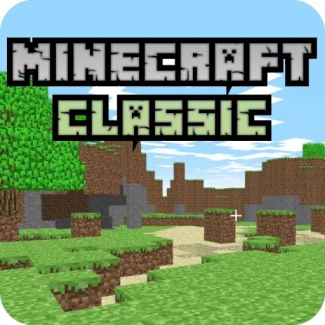
Minecraft Classic
How to Play Minecraft Classic
Getting started in Minecraft Classic is easy with simple controls. Follow these instructions to jump right into the action.
- Move: W, A, S, D keys
- Destroy or Place Blocks: Mouse Left-Click
- Toggle Build Mode: Mouse Right-Click
- Choose a Block: 1-9 keys
- Save Position: ENTER key
- Load Position: R key
Play Minecraft Classic: Build and Explore Online
Experience the timeless world of Minecraft like never before with Minecraft Classic! Dive into a vibrant universe where creativity knows no bounds and collaborate with friends in real-time. This browser-based adventure offers the classic gameplay you love, allowing you to build, destroy, and explore without the need for downloads. Get ready to unleash your imagination and construct your dream landscapes!
Minecraft Classic Gameplay and Features
Minecraft Classic brings the original Minecraft experience right to your browser, featuring intuitive controls and easy accessibility. Players can freely navigate their surroundings, placing and destroying blocks to create impressive structures or landscapes.
- Instant play with no downloads required
- Compatible with desktop, mobile, and tablet devices
- Real-time multiplayer experience
- Classic building mechanics and block selection
- HTML5 support for smooth performance
Tips and Strategies for Minecraft Classic
To excel in Minecraft Classic, mastering the controls is essential. Utilize your building toolkit effectively by quickly selecting blocks and toggling build mode to enhance your creativity.
- Practice using the block selection shortcuts (1-9) for faster building
- Collaborate with friends to gather resources and brainstorm ideas
- Save your positions frequently to avoid losing progress
- Experiment with different block combinations to create unique designs
FAQ
Is Minecraft Classic free to play?
Yes, Minecraft Classic is completely free to play in your browser without any downloads.
Is this the original version of Minecraft Classic?
Yes, Minecraft Classic is the original version that offers the classic gameplay experience.
Can I play Minecraft Classic on mobile or tablet?
Absolutely! Minecraft Classic is designed to be compatible with both mobile and tablet devices.
Can I save my progress in Minecraft Classic?
Yes, you can save your position at any time using the designated controls.