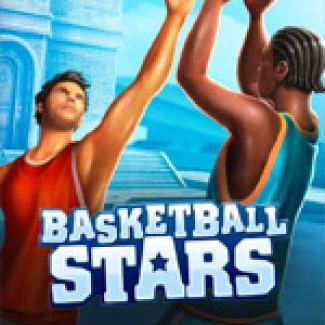
Basketball Stars Miniclip
How to Play Basketball Stars?
Select a mode like Quick Match for instant action or Tournament for bracket play. Choose your character and opponent, then score as many baskets as possible using strategic power-ups. On defense, focus on positioning for blocks and steals.
How to Play: 2-Player & multiplayer
Choose Quick Match or 2v2, select players, and confirm control schemes. Pick characters and start the match, coordinating roles for defense and offense.
How to Play: Solo
Open the game, select your mode, and choose your character. Review controls to master movements and focus on high-percentage shots. Use Training to practice your skills.
Controls
On desktop, use keyboard inputs for movement and actions. On mobile, touch controls replicate these functions, ensuring a smooth gaming experience.
What is Basketball Stars Miniclip?
Basketball Stars is a free-to-play HTML5 basketball game by MadPuffers that offers exciting 1-minute matches on both desktop and mobile. Enjoy quick and competitive gameplay with various modes, including Quick Match, Tournament, and Training.
Gameplay & Features
This game combines arcade-style basketball with fast-paced action. Players can engage in 1v1, 2v2, or even team-based matchups. With power-ups like Mega Dunk and Super Shot, and simple controls, it's perfect for fans of online basketball games.
- Fast-paced, 1-minute arcade rounds
- Modes: Quick Match, Tournament, Training
- Play solo against CPU or in local multiplayer
- Unlockable characters and cosmetics
- Signature power-ups for strategic play
- No download required, runs in-browser
Tips & Strategies
To excel in Basketball Stars, select the right mode for your play style. Use power-ups wisely and focus on timing for both offense and defense. In multiplayer, communicate with your partner for better coordination.
FAQ
Is Basketball Stars free to play?
Yes, Basketball Stars is a free online game that you can enjoy without any downloads.
Can I play Basketball Stars in my browser?
Absolutely! The game is optimized for browser play and requires no downloads.
Is Basketball Stars unblocked at school?
You can play Basketball Stars at school as it is a browser-based game, but check your school's policy on gaming.